The Part Nobody Else Can Do
Signage software and tournament software are two purchases, from two companies, usually on two different screens. Signholio is one product — so a screen changes jobs in a single click, and changes back in one more.
What Goes on the Screen
Design it in the browser, or loop what you already have.
Menus & Promos
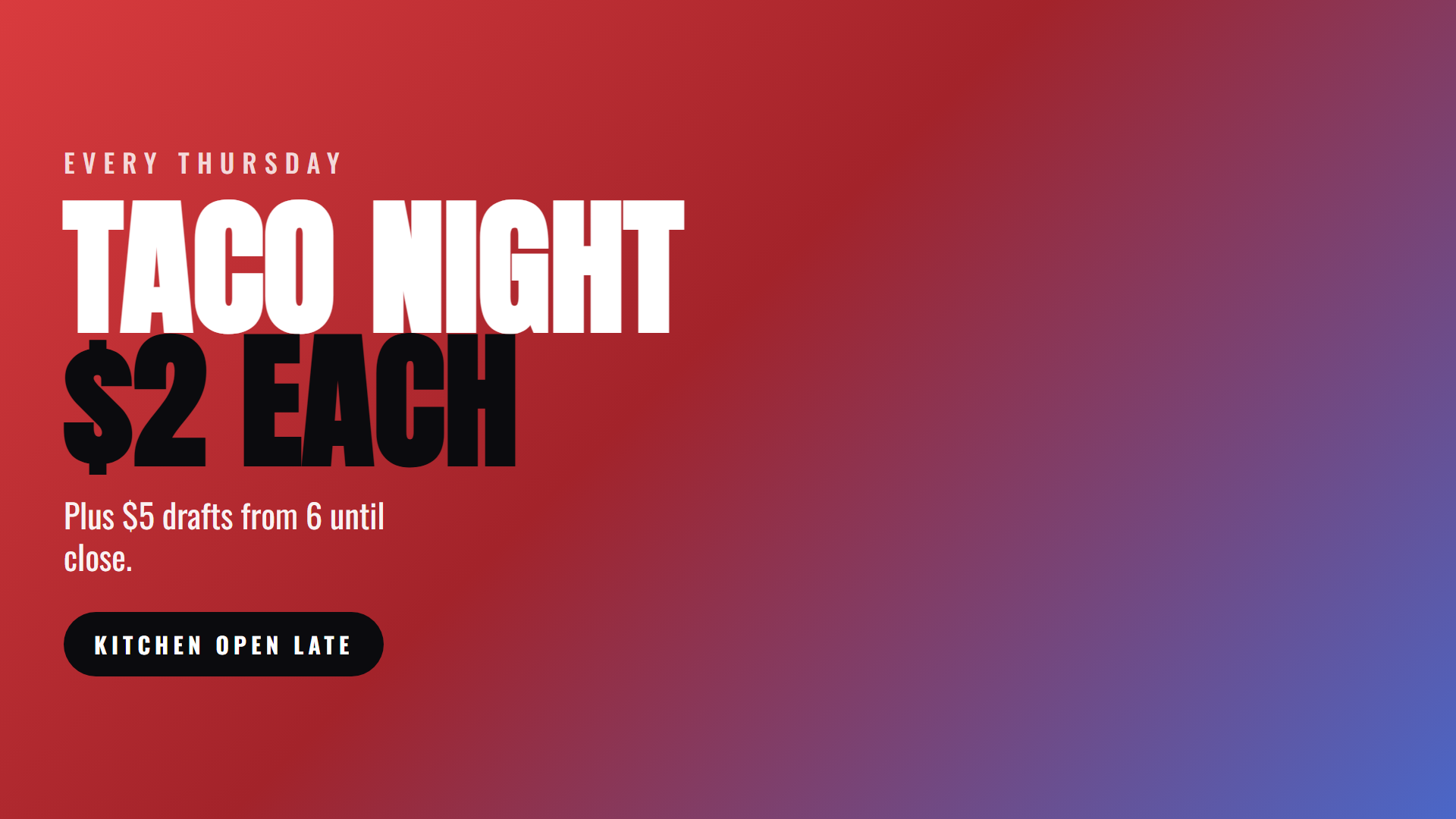
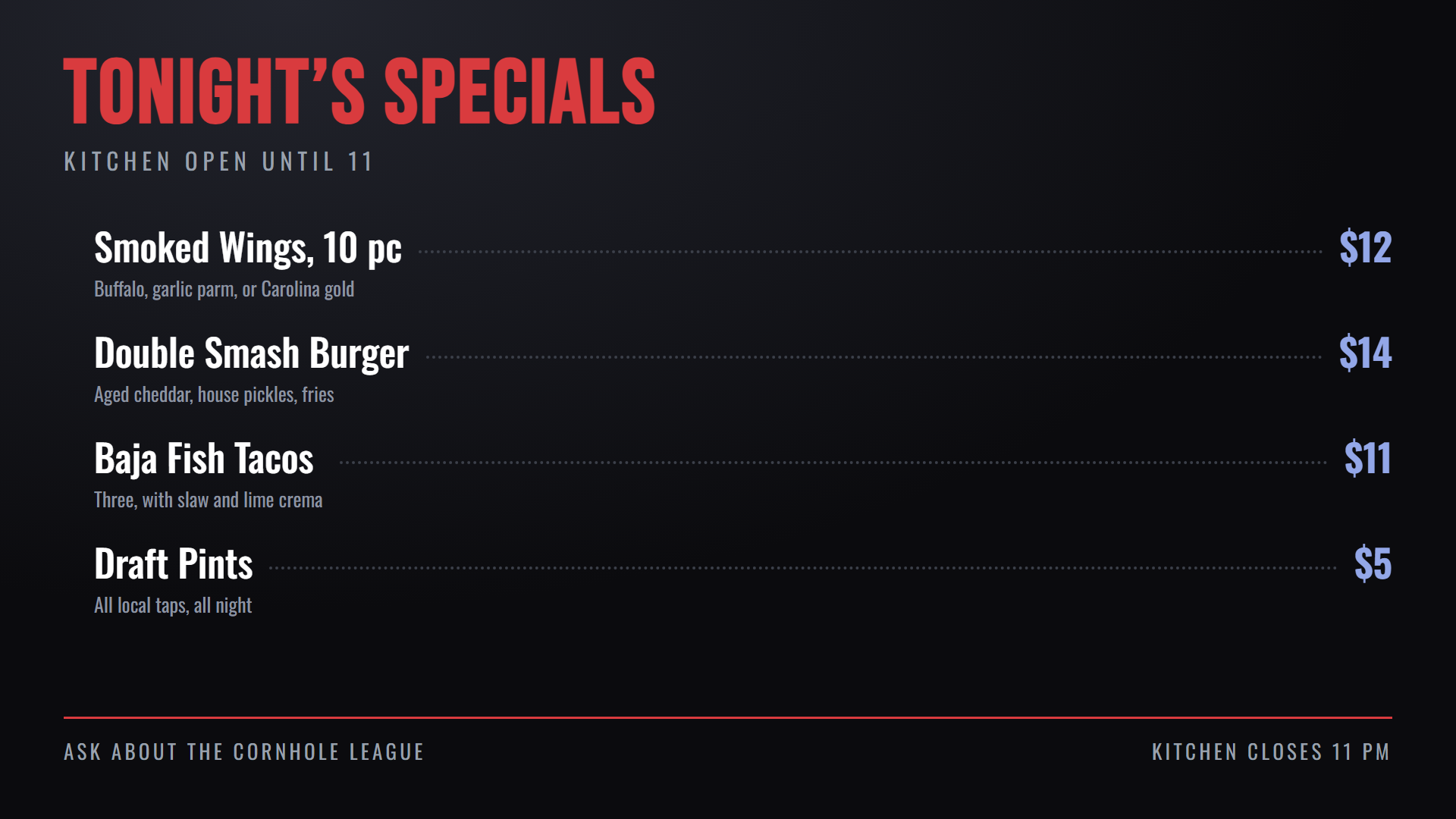
Price lists, specials and announcements. Build slides from text, panels, gradients and your own images — or just loop photos and video.
Live Extras
Clock, date and weather in the venue’s time zone. News headlines as a crawl or one story at a time, sports scores, trivia and on this day.
Any Web Page
Point a screen at a page you already have. We check up front whether it allows being displayed, so you find out in the browser and not on the wall.
Dayparting
Breakfast boards in the morning, happy hour at four, league night at seven, dark after close. Anything unscheduled falls back, so a screen is never blank.
A Fixed Frame
Keep a logo in the corner and a ticker along the bottom while a window in the middle cycles. The rest of the screen never reloads — only the window changes.
Portrait Menu Boards
Hang a screen vertically and set one field. The content rotates itself, so a tall menu board needs no special hardware.
Your Scoreholio Events, On the Wall
Signholio comes from the team behind Scoreholio, so a screen shows your own tournament data without anyone typing it in twice.
- Upcoming events with date, time, venue and how many spots are taken
- A full tournament card with a signup QR code players scan from across the room
- Everything on the account, one sport at a time, or a single chosen tournament
- Events from every organizer you work with, kept current as they change
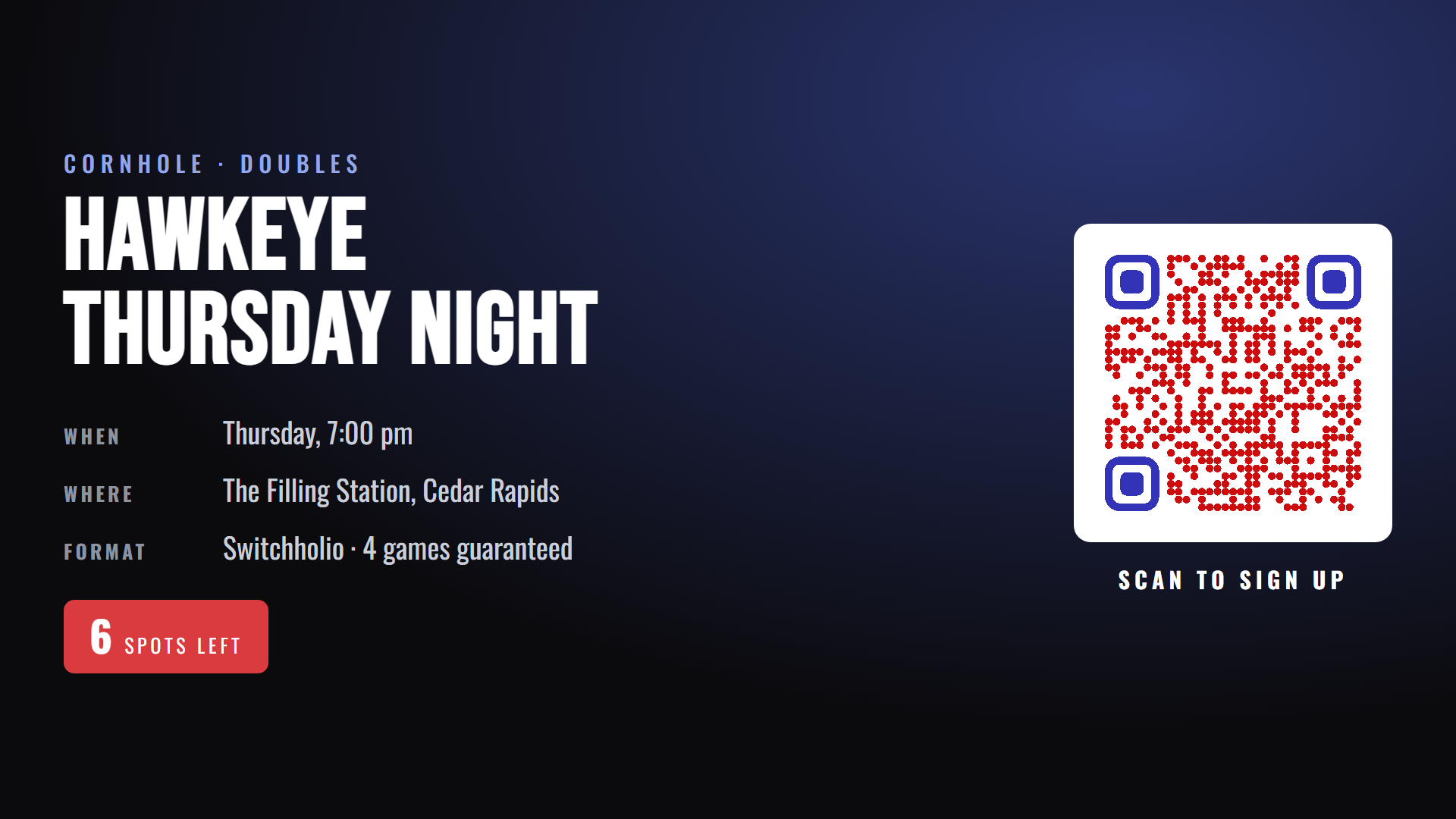
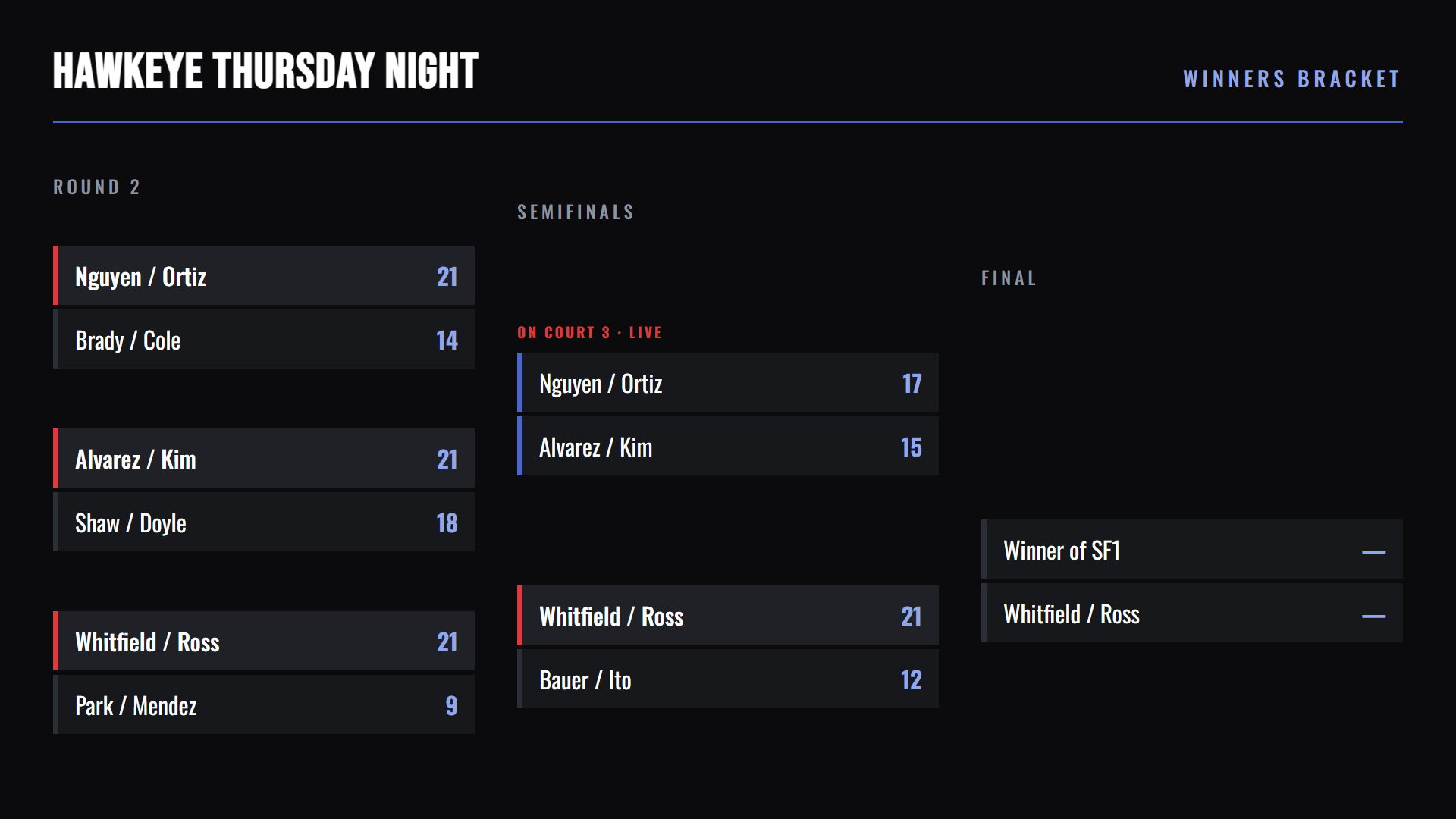
The wall that advertises your league on Monday is the wall showing the bracket on Thursday. Every screen keeps its own signage waiting behind whatever an organizer put on it, so putting it back is one button and never a rebuild.
Setting Up a Screen
Three steps, and nothing to operate on the TV itself.
Plug It In
A Fire TV stick in the TV’s HDMI port. It shows a six-character code and waits.
Enter the Code
Once, at app.signholio.com. That pairs the screen to your account.
Drive It From a Browser
No remote, no touchscreen, no menus. Publish from your phone or your laptop.
Supported Devices
Most Fire TV sticks from 2018 on run Signholio — and so do Fire TV Cubes, Echo Shows, and nearly a hundred Fire TV models. Search the list before you buy.
Most Fire TV Sticks
2018 and newer — Lite, 3rd gen, 4K, 4K Max. It does not have to be a 4K model. Search the full list below before you buy.
- Everything in Signholio
- Cheap, everywhere, and you may already own one
- Falls asleep on its own — someone has to wake it
- Less storage, so very large playlists are tight
A stick and a spare HDMI port is all a screen needs.
Which sticks and TVs, exactly? All 97
The check that is always right: search the Amazon Appstore for Signholio on the device itself. Amazon only shows an app on hardware it will actually run on, so if it is there, it works. That beats any model list, including this one.
- Amazon Ember ArtlineAFTBOE497A
- Amazon Ember Artline EUAFTBOEF7DA
- Amazon Fire TV 2-SeriesAFTCU864A2
- Amazon Fire TV 2-Series EUAFTCUD6595
- Amazon Fire TV 4-SeriesAFTNA1322D
- Amazon Fire TV 4-Series EUAFTNA67200
- Amazon Fire TV Omni Mini-LED Series NAAFTOMNA003
- Amazon Fire TV Omni Mini-LED Series UKAFTGE224
- Amazon Fire TV Omni QLED SeriesAFTPOC9BD3
- Amazon Fire TV Omni QLED Series EUAFTPO9D4D7
- Echo Show 15 (Gen 2)AEOCY
- Echo Show 15 with Fire TV built inAEOHY
- Echo Show 21AEOSY
- Fire TV (Gen 1)AFTBFire OS 5
- Fire TV (Gen 2)AFTSFire OS 5
- Fire TV (Gen 3)AFTN
- Fire TV 2-SeriesAFTKA002
- Fire TV 2-Series (UK)AFTKAUK002
- Fire TV 4-SeriesAFTTI
- Fire TV 4-Series (UK)AFTKAUK001
- Fire TV CubeAFTA
- Fire TV Cube (2nd Gen)AFTR
- Fire TV Cube (3rd Gen)AFTGAZL
- Fire TV Edition - AB/AKAI/Croma UHD (2020)AFTPR001
- Fire TV Edition - AB/Croma HD/FHD (2020)AFTBU001
- Fire TV Edition - Element 4K (2017)AFTRSFire OS 5
- Fire TV Edition - Grundig OLED (2019)AFTEUFF014
- Fire TV Edition - Grundig Vision 6 (2019)AFTEU011
- Fire TV Edition - Grundig Vision 7 (2019)AFTEU014
- Fire TV Edition - Insignia 4K (2018)AFTJMST12
- Fire TV Edition - Insignia HD (2018)AFTEAMR311
- Fire TV Edition - JVC 4K UHD Smart (2019)AFTSO001
- Fire TV Edition - JVC Smart HD/FHD (2020)AFTWMST22
- Fire TV Edition - Nebula D3000 Soundbar (2019)AFTMM
- Fire TV Edition - Onida HD/FHD (2019)AFTLE
- Fire TV Edition - Onida/AKAI HD/FHD (2020)AFTTIFF55
- Fire TV Edition - Toshiba 4K (2018)AFTKMST12
- Fire TV Edition - Toshiba HD (2018)AFTBAMR311
- Fire TV Edition - Vestel T31 - 4K UHD FVP (2021/2022)AFTJULI1
- Fire TV Edition – Hisense U7AFTHA78451
- Fire TV Edition – Insignia and Pioneer 2K (2022)AFTALMO
- Fire TV Omni QLED SeriesAFTKADE001
- Fire TV Omni SeriesAFTTIFF
- Fire TV Stick (3rd Gen)AFTSSS
- Fire TV Stick (Gen 1)AFTMFire OS 5
- Fire TV Stick (Gen 2)AFTTFire OS 5
- Fire TV Stick 4KAFTMM
- Fire TV Stick 4K (2nd Gen)AFTKM
- Fire TV Stick 4K MaxAFTKA
- Fire TV Stick 4K Max (2nd Gen)AFTKRT
- Fire TV Stick 4K PlusAFTMA08C15
- Fire TV Stick 4K SelectAFTCA002Vega OS
- Fire TV Stick HD (2nd generation)AFTCL001Vega OS
- Fire TV Stick LiteAFTSS
- Funai 4K - Fire TV Edition (2022)AFTMON001
- Funai 4K - Fire TV F560 SeriesAFTNEV001
- Funai HD - Fire TV Edition (2022)AFTMON002
- Funai HD - Fire TV Edition (2024)AFTGZJ01
- Hisense 4K (2025)AFTCIBFBD1
- Hisense A4NFAFTHU71990
- Hisense Amazon Fire TV QD6 (2026)AFTCU9343B
- Hisense Class A4 Series Smart Fire TV A4NF (2026)AFTHY90E56
- Insignia 4K FTV (2025)AFTHY7ABBA
- OK UHD - Fire TV Smart TV (2020)AFTWI001
- OK UHD Fire TV Smart TV (2021) / Xiaomi F2 4K (2022) / Panasonic MX800 series 4K (2023)AFTANNA0
- ONIDA 2K - Fire TV Smart TV (2022)AFTMAN001
- ONIDA 4K - Fire TV Smart TV (2022)AFTGRO001
- Onida 4K Smart Fire TVAFTAR04B9A
- Panasonic 4K 60Hz Fire TV EU (2024)AFTSH3F7EF
- Panasonic 4K Fire TV (2024) EU/APACAFTGOLD01
- Panasonic 4K Fire TV (2024) EU/APAC FFAFTGOLDFF
- Panasonic 4K Fire TV (2024) JPAFTWYM01
- Panasonic 4K Fire TV (2024) JP FFAFTTOR001
- Panasonic 4K Fire TV (2024) USAFTLAS01
- Panasonic 4K Fire TV (2024) US FFAFTCON001
- Panasonic TV-55Z80AEY Smart TV with Fire TV built in - OLED 55 inchAFTPOF46A5
- Panasonic W70B LED 4K TVAFTAC786A3
- Redmi 108cm (43 inch) 4K Ultra HD smart LED Fire TVAFTBTX4
- Redmi HD Ready Smart LED Fire TV (2023)AFTMV00
- TCL 43PF650 43-inch 4K Ultra HD Fire TV, HDR TV, Smart LED Fire TVAFTMA475B1
- TCL 43SF560-UK – 43" Full HD Smart QLED Direct LED TV with Fire TV & HDRAFTMA7EE54
- TCL 4K UHD HDR LED Smart TV with Fire TVAFTDEC012E
- TCL Class Q Series 4K QLED HDR Smart TV with Fire TV / TCL Class S4 4K LED Smart TV with Fire TVAFTMD001
- TCL Class S3 1080p LED Smart TV with Fire TVAFTMD002
- TCL HD Ready Smart LED Fire TV (2023) / Xiaomi TV F2 HD (2023)AFTSHN01
- TCL QM64L Premium QD-Mini LED TVAFTCHE92D8
- Toshiba 32WF2F53DB HD Ready Smart Fire TV / Panasonic S50 and S55 Series with Fire TVAFT6E0FA
- Toshiba 4K UHD Smart TV - Fire TV Edition (2021)AFTHA001
- Toshiba 4K UHD Smart TV – Fire TV EditionAFTDCT31
- Toshiba C350 / Toshiba M550 / Hisense QD6QF / Hisense QD7QFAFTOLCBC82
- Toshiba Class C350LU Series LED 4K UHD Smart Fire TVAFTHA004
- Toshiba M550 Smart Fire TVAFTHA003
- Toshiba V35 Fire TVAFTHA002
- Xiaomi 2K LED/QLEDAFTMA2857F
- Xiaomi 4K 60Hz LED/QLEDAFTBR92D74
- Xiaomi F series HD smart LED Fire TVAFTDE70DFC
- Xiaomi FX Pro Series 4K UHD smart QLED Fire TV / Xiaomi FX Series 4K UHD smart LED Fire TVAFTNE4E43F
Nothing matches that. Try the maker on its own — TCL, Hisense, Panasonic, Toshiba, Xiaomi, Insignia, Funai, Onida — or just look for Signholio in the Appstore on the device.
Every Fire TV device Amazon lists, as of this build. Amazon ships new hardware constantly and some of it is Vega, so if yours is not here, the Appstore on the device is still the answer.
Not supported
- Fire TV Stick 4K Select and Fire TV Stick HD (2nd generation). Both run Amazon’s new Vega OS, which installs no Android apps at all. They are current models with ordinary names, which is exactly why they catch people out — new does not mean supported. Check the model before you buy.
- Fire TV (Gen 1 and 2), Fire TV Stick (Gen 1 and 2), and Fire TV Edition – Element 4K (2017). Fire OS 5, which is too old, and 1 GB of memory would struggle with video loops even if it were not.
One Screen or Fifty
Group the screens that should show the same thing and publish to all of them at once, or give every room its own.
Prepared for TV
Images and video are converted automatically, so a phone photo does not arrive sideways and a large clip does not stutter.
Mix Them Freely
Sticks, Cubes, and Fire TVs sit in the same group and play the same playlist. Start with what you have and add screens as you go.
Ready to Put Your Screens to Work?
Pair your first screen and publish to it in a few minutes.